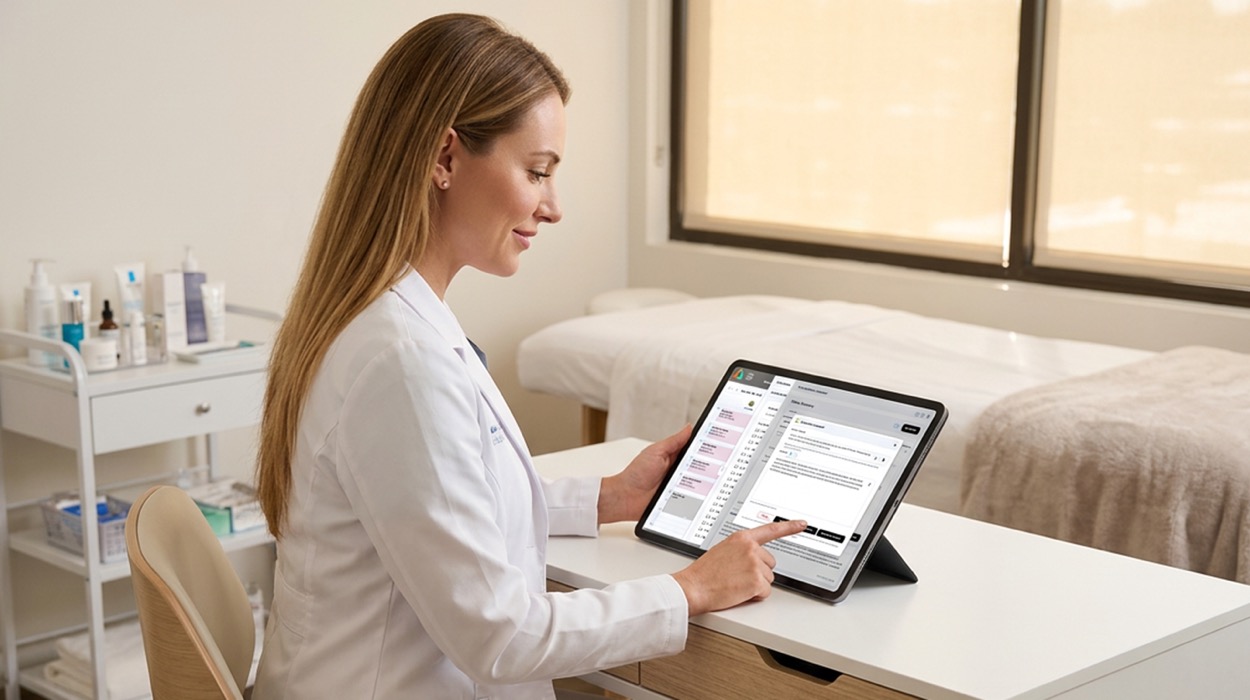

Between back-to-back appointments, client consultations, treatment notes, and intake forms, medical spa providers have a lot to document.
And while accurate documentation is essential to client care, creating and maintaining those records can take valuable time away from other responsibilities.
For many med spas, the challenge isn't knowing what to document. It's finding an efficient way to turn treatment details into clear, organized records while keeping forms accurate and up to date.
That's where AI clinical documentation and form creation can help.
AestheticsPro's Kai AI tools are designed to support documentation and electronic form workflows directly within its AI medical spa software.
With Kai Content Assistant and Kai Form Creator, practices can spend less time starting documents from scratch and more time reviewing the information that matters.
Let's explore how these tools fit into everyday medical spa workflows.
Every client appointment creates information that needs to be recorded.
Depending on the treatment, providers may need to document consultation findings, products used, treatment areas, client responses, and follow-up instructions.
Medical spas also rely on electronic forms to collect information before, during, and after appointments.
Common documents include:
When these documents are created manually, staff may spend additional time formatting notes, rebuilding forms, or entering similar information across different workflows.
AI-assisted tools can help reduce some of that repetitive work.
However, AI-generated content still requires appropriate review. Providers and authorized staff remain responsible for ensuring that clinical records and forms are accurate, complete, and suitable for their intended use.
Clinical documentation is one of the most important responsibilities in a medical spa.
Providers need to record relevant details about the services performed, but writing complete notes can become time-consuming during a busy schedule.
Kai Content Assistant helps providers turn their own AI treatment notes into organized documentation within AestheticsPro's med spa documentation software.
Rather than starting every note from a blank page, providers can supply the relevant details and use AI to help draft the text.
Step 1: Open the Appropriate Client Record
Begin within the relevant client's E-Record and documentation workflow.
Confirm that you're working in the correct record and appointment context.
Step 2: Enter the Treatment Information
Provide the details that should appear in the note.
Depending on the treatment, these may include:
Only include information that was actually observed, performed, or otherwise verified.
Step 3: Generate a Draft with Kai Content Assistant
Use Kai to help organize the supplied information into a structured, professionally worded note.
This gives the provider a draft to work from rather than requiring every sentence to be written manually.
Step 4: Review and Edit the Note
Check the generated documentation against the actual treatment.
Verify clinical details, correct unclear language, and add any missing information.
Step 5: Approve and Save the Documentation
Once the note has been reviewed and finalized, follow the practice's established approval and E-Record procedures.
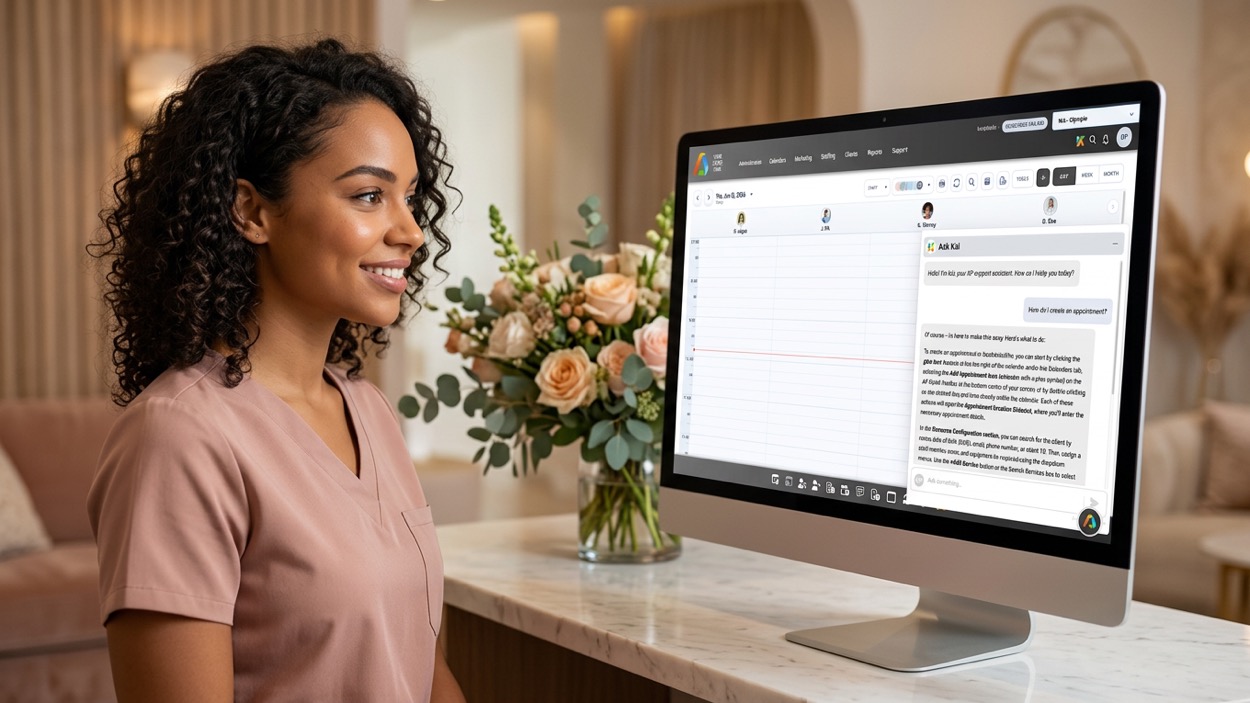
AI can help draft clinical documentation, but it should not replace provider judgment.
A well-written note is only useful if the information is correct.
AI-generated content may omit important details, misinterpret instructions, or introduce information that wasn't supplied.
Before approving an AI-assisted note, verify:
Kai Content Assistant is intended to assist with drafting and organizing documentation.
It should not independently determine treatment plans, decide which procedures are appropriate, or replace qualified clinical judgment.
Providers should continue to follow applicable documentation standards and their practice's clinical policies.
Workflow tip: Treat AI-generated notes as editable drafts, not automatically verified medical records.
Treatment notes aren't the only documents that require time and attention.
Medical spas also need electronic forms for intake, consultations, treatments, and follow-up care.
Creating these forms manually can involve building questions, organizing sections, formatting instructions, and making revisions as practice needs change.
Kai Form Creator is designed to help teams create and update medical spa electronic forms without starting from scratch.
Step 1: Identify the Form's Purpose
Determine what the form needs to accomplish.
For example, your practice may need a new-client intake form or a treatment-specific questionnaire.
Step 2: Define the Information Needed
Outline the sections, questions, and instructions the form should include.
Step 3: Use Kai to Generate a Draft
Provide the form requirements to Kai Form Creator so it can help create an initial structure.
Step 4: Customize the Form
Review the draft and make changes to questions, wording, organization, and instructions.
Step 5: Review and Approve the Form
Have the appropriate team members verify the content, especially when the form involves medical history, consent, or treatment instructions.
Step 6: Add the Form to the Appropriate Workflow
Once approved, configure the form for its intended use within your practice's electronic forms process.
Confirm how it will be assigned, completed, and stored.
| Form Type | Intended Use |
|---|---|
| Client intake | Collect relevant new-client information |
| Medical history | Gather information required for clinical review |
| Consultation | Organize consultation questions |
| Treatment-specific form | Collect information relevant to a particular service |
| Pre-care instructions | Communicate approved preparation guidance |
| Post-care instructions | Provide approved aftercare information |
| Follow-up form | Support appropriate post-visit communication |
Form content should always be reviewed for clinical accuracy, legal requirements, and suitability for the practice.
Workflow tip: Begin with one commonly used form before expanding AI-assisted form creation across your practice.
When several providers or locations create their own forms, differences can develop over time.
One form may use different terminology from another. Some versions may contain outdated questions or instructions.
A consistent form creation process can help reduce unnecessary variation.
Before using Kai Form Creator, decide what every form should include.
For example:
A consultation form might be organized into the following sections:
Section 1: Client Information
Collect the information necessary to identify the client and associate the form with the correct record.
Section 2: Consultation Goals
Include questions about the client's concerns and goals.
Section 3: Relevant History
Collect information appropriate to the services being considered.
Section 4: Provider Assessment
Reserve space for information that must be completed or verified by a qualified provider.
Section 5: Next Steps
Include appropriate follow-up information and any required acknowledgments.
Kai can help create the draft structure, but your team should determine which questions and sections are clinically necessary.
Workflow tip: Use approved practice templates and terminology as the basis for AI-assisted form creation.
Medical spa forms may need updates when a practice introduces new services, revises instructions, or changes internal procedures.
Without a consistent process, employees may continue using outdated versions.
Kai Form Creator can help support the drafting and revision process.
Suppose your practice needs to update a post-care instruction form.
Instead of creating an entirely new document, your team can:
Aesthetic EMR software helps to track changes and identify current forms.
Before replacing a form, consider whether previous versions need to remain available for recordkeeping purposes.
Workflow tip: AI can help draft changes, but the practice should control which version becomes the approved form.
One of the benefits of using AI tools within medical spa software is the ability to support work where client records are already managed.
AestheticsPro's Kai documentation and form tools are designed around E-Record and electronic form workflows.
This can help teams avoid creating every document in a separate writing tool before transferring it into their medical spa software.
| Client Journey Stage | Documentation Need | Kai Workflow |
|---|---|---|
| Before appointment | Intake or consultation form | Draft form with Kai Form Creator |
| During consultation | Organized consultation information | Assist with drafting relevant content |
| During or after treatment | Clinical treatment note | Draft note with Kai Content Assistant |
| After treatment | Post-care instructions | Help create approved instruction forms |
| Follow-up | Relevant follow-up documentation | Assist with drafting appropriate content |
The exact steps and availability of AI assistance depend on the AestheticsPro feature and workflow being used.
When documentation tools are available within the software used to manage client records, providers may spend less time switching between unrelated applications.
However, integrated tools still require proper permissions, accurate data entry, and appropriate review.
Workflow tip: Test the complete process from form creation through completion, documentation, and record storage before making it part of your standard workflow.
Introducing AI into documentation workflows requires clear staff expectations.
Providers need to understand how to supply accurate information and review generated notes.
Administrative teams need to understand which forms they can help draft and which require clinical approval.
For Clinical Providers
For Practice Managers
For Administrative Staff
Instead of introducing AI-assisted documentation across every service immediately, begin with one approved use case.
For example, your team might test Kai Content Assistant with a commonly performed service.
Review the drafts, gather provider feedback, and refine your process before expanding.
The same approach works for Kai Form Creator.
Start with a straightforward administrative form before moving into more complex clinical documents.
Workflow tip: Train employees on both what AI can help draft and what they remain responsible for verifying.
AI documentation tools should make work easier without reducing record quality.
To evaluate their usefulness, compare the documentation process before and after implementation.
| Metric | What It Measures |
|---|---|
| Average note completion time | Time required to finish documentation |
| Same-day note completion rate | Percentage of notes finalized on the visit date |
| Note revision frequency | How often drafts require correction |
| Missing information rate | Frequency of incomplete documentation |
| Form creation time | Time required to draft and approve a form |
| Form update turnaround | Time required to complete revisions |
| Staff feedback | Provider and administrator experience |
Suppose a provider completes 10 treatment notes each day.
Before using AI assistance, each note takes an average of 8 minutes.
After introducing a reviewed AI-assisted workflow, the average drops to 5 minutes.
| Metric | Before | After |
|---|---|---|
| Notes per day | 10 | 10 |
| Average time per note | 8 minutes | 5 minutes |
| Total daily documentation time | 80 minutes | 50 minutes |
In this hypothetical example, the provider saves 30 minutes per day.
Actual results will vary based on treatment complexity, input quality, review requirements, and staff experience.
A faster note isn't better if it contains errors or missing information.
Track accuracy, completeness, and the amount of correction required alongside time savings.
Workflow tip: Evaluate whether Kai helps your team create accurate, approved documentation more efficiently—not simply whether it generates text quickly.
The best EMR for medical spas should allow for accurate documentation and well-organized electronic forms. Creating every note and form manually can add unnecessary work to already busy schedules.
With Kai Content Assistant, providers can use AI to help turn treatment details into organized documentation that they can review and finalize.
With Kai Form Creator, teams can draft and update electronic forms more efficiently while maintaining control over the content and approval process.
Together, these tools support a more practical approach to documentation within AestheticsPro's E-Record workflows.
Your team remains responsible for delivering care and verifying clinical information. Kai helps with the repetitive work of turning that information into clear, usable documents.
Spend less time starting from scratch and more time focusing on your clients.
Book a free AestheticsPro demo to see how Kai Content Assistant and Kai Form Creator can support your medical spa's documentation and electronic forms workflows.
Kai Content Assistant is an AI-powered tool within AestheticsPro designed to help staff draft and organize content, including treatment documentation based on information supplied by the provider.
Kai Content Assistant can assist with drafting treatment notes. The provider must review the generated content and verify its accuracy before it becomes part of the clinical record.
Providers should supply accurate, relevant treatment details, such as the service performed, treatment areas, products used, observations, and appropriate follow-up information.
Kai Form Creator is an AI-assisted tool designed to help medical spas create and update electronic forms without building every document from scratch.
Kai can support drafting intake forms, consultation forms, treatment-specific forms, pre-care instructions, post-care instructions, and follow-up forms.
Forms should be reviewed and approved by the appropriate team members before use. Clinical content, consent language, and treatment instructions require particular care.
No. Kai supports documentation and form workflows within AestheticsPro's medical spa software. It does not replace the need for electronic records, appropriate clinical documentation, or professional oversight.
Compare note completion times, revision frequency, documentation completeness, form creation time, and staff feedback before and after implementation.
Related articles on growth, operations, and the systems shaping modern medical aesthetics practices.

Learn how medspa software supports secure documentation, digital consent, and HIPAA compliance to meet medical spa requirements...

Discover holiday upselling strategies to increase revenue in a med spa with packages, med spa loyalty programs, and med spa software...
Explore post-GLP-1 aesthetic treatments for volume loss, skin laxity, body contouring, and how medical spa software supports ongoing care...

Plan for the med spa holiday rush with a practical checklist for staffing, revenue, inventory, communication, and medical aesthetics software...

Learn how to plan winter aesthetic procedures before holiday events, including timing, downtime, skin quality, and natural-looking results...

See when growing med spas need med spa management software, what small business tools may outgrow, and what to look for next...

See what medical spa booking software should do before the visit, from intake and reminders to connected practice workflows...

See how spa management software can support repeat visits, memberships, stronger client retention, and long-term medspa growth...

See how AI-powered med spa software is helping aesthetic practices streamline workflows, save time, and improve the client experience...


 Login
