Login
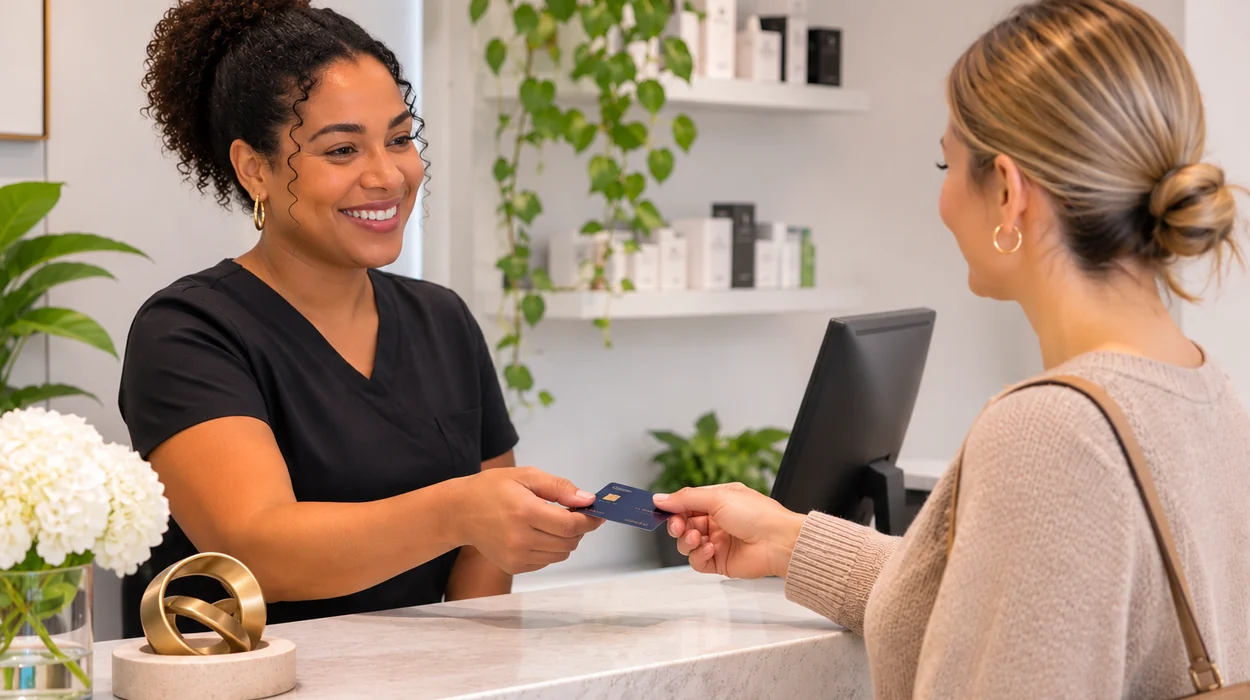

An inefficient checkout process can slow down your medical spa’s operations, increase administrative work, and create unnecessary delays for clients. Manual data entry, invoice corrections, disconnected systems, and incomplete treatment information can turn a simple transaction into a time-consuming task.
Improving checkout efficiency starts with eliminating unnecessary steps and ensuring employees have the information they need. With consistent workflows and integrated medical spa practice management software, practices can reduce repetitive tasks, improve accuracy, and make checkout easier for staff and clients.
Here are practical ways to identify bottlenecks and streamline your front desk operations.
What Causes Med Spa Checkout Delays?
Checkout delays often result from several small inefficiencies that add up throughout the day.
Disconnected Systems: When scheduling, treatment records, invoices, and payments are managed separately, employees must switch between systems to complete transactions. This creates extra work and increases the possibility of errors.
Invoice Errors: Treatments sometimes change during appointments. Additional services, products, or discounts may not be communicated to the front desk, resulting in incorrect invoices that require adjustments before payment.
Manual Provider Handoffs: When receptionists must contact providers to confirm completed treatments, checkout depends on the provider’s availability. These interruptions can delay clients and disrupt other appointments.
Missing Account Information: Prepaid services, available credits, and outstanding balances can complicate checkout when employees must research account details while clients wait.
The biggest opportunity for improvement is reducing how much information employees must gather before completing a transaction.
How to Streamline the Med Spa Checkout Process
A consistent checkout workflow helps employees complete transactions accurately without unnecessary delays.
Step 1: Document Completed Treatments. Providers should promptly record completed services, including any changes or additional purchases. This gives the front desk accurate information before checkout begins.
Step 2: Review Client Information. Receptionists should have easy access to appointment details, treatment information, available credits, and outstanding balances without searching multiple systems.
Step 3: Verify the Invoice. Before requesting payment, confirm that services, pricing, discounts, and applicable credits are correct. Catching errors early prevents additional corrections.
Step 4: Process Payment. Once the invoice is accurate, collect payment and ensure the transaction is recorded in the client’s account.
Step 5: Finalize Checkout. Provide the receipt, update the appointment status, and confirm any necessary follow-up appointments.
Before and After: A More Efficient Checkout Workflow
Small workflow improvements can eliminate unnecessary administrative steps. The goal isn’t simply faster payment processing. It’s reducing unnecessary searches, manual entry, and interruptions throughout the transaction.
| Before: Manual Checkout | After: Streamlined Checkout |
|---|---|
| Receptionist searches for appointment details. | Appointment information is readily accessible. |
| Provider must confirm completed treatments. | Services are documented before checkout. |
| Charges are entered from separate notes. | Staff reviews documented services when preparing the invoice. |
| Credits are researched at the counter. | Account details are reviewed beforehand. |
| Invoice errors require corrections. | Charges are verified before payment. |
| Payment and appointment status are updated separately. | A consistent process finalizes checkout. |
How Integrated Software Reduces Front Desk Work
Connected systems can simplify checkout by keeping important information accessible throughout the client visit.
Connect Scheduling and Client Records: When appointment details and client records are accessible together, receptionists can quickly review relevant information without switching applications.
Integrated spa management software can help employees spend less time searching and more time assisting clients.
Simplify Invoice Preparation: Connecting treatment information with invoicing workflows can reduce duplicate data entry and make charges easier to verify.
Employees should still review invoices for accuracy, but fewer manual steps can mean fewer opportunities for mistakes.
Keep Payments and Account Information Connected: When invoices, transactions, and account balances are accessible within the same platform, employees can more easily verify payments and identify outstanding balances.
When evaluating medical spa software systems, consider how easily employees can move from a completed appointment to a finalized transaction.
Med Spa Checkout Efficiency Checklist
Use this checklist to identify opportunities for improvement.
Before Checkout
- Providers document completed treatments promptly.
- Additional services and purchases are recorded.
- Client credits and balances are accessible.
- Staff know when appointments are ready for checkout.
During Checkout
- Invoice charges match completed services.
- Discounts and credits are verified.
- Payment is accurately recorded.
- Clients receive their receipts.
After Checkout
- Appointment status is updated.
- Unresolved balances are documented.
- Invoice corrections are tracked.
- Recurring checkout problems are reviewed.
How to Measure Checkout Efficiency
Tracking a few operational indicators can help determine whether workflow changes are improving performance. Establish a baseline before making changes, then compare results over several weeks.
| Metric | What to Measure |
|---|---|
| Average checkout time | Total checkout minutes divided by completed checkouts |
| Invoice correction rate | Percentage of invoices requiring corrections |
| Provider interruptions | Number of checkout-related clarification requests |
| Unfinished transactions | Appointments with incomplete checkout steps |
| Front desk delays | Time spent searching for information or resolving issues |
Five Ways to Improve Checkout This Week
- Standardize provider handoffs. Require completed treatment documentation before checkout.
- Review accounts earlier. Identify credits, prepaid services, and balances before clients reach the counter.
- Create an invoice checklist. Verify charges and discounts before collecting payment.
- Reduce system switching. Identify repetitive tasks that existing software could simplify.
- Review recurring delays. Discuss common checkout problems during weekly staff meetings.
These improvements can help reduce administrative work without adding employees or complicated procedures.
Make Checkout Easier with AestheticsPro
An efficient checkout process helps medical spas reduce administrative work, maintain accurate records, and create a smoother client experience.
AestheticsPro brings scheduling, client records, invoicing, and payment management together, helping practices organize information and simplify daily workflows.
Ready to spend less time on administrative tasks? Explore AestheticsPro and discover how connected workflows can support your front desk.
Frequently Asked Questions
What causes the most common med spa checkout delays?
Incomplete treatment documentation, invoice errors, disconnected systems, and manual provider handoffs are common causes.
How can a med spa reduce checkout time?
Standardize documentation, prepare account information earlier, verify invoices before payment, and eliminate unnecessary manual steps.
Can integrated software help prevent checkout errors?
Integrated systems can reduce duplicate entry and make relevant information easier to access, helping employees identify errors before completing transactions.
What is a good average checkout time?
There is no universal benchmark. Measure your current checkout time and establish improvement goals based on your practice’s services and workflow.
How often should checkout efficiency be reviewed?
Review recurring problems weekly and compare key performance indicators monthly to identify opportunities for continued improvement.
Simplify Medical Spa Management
Schedule a demo to see how AestheticsPro helps medical spas manage scheduling, client records, packages, marketing, and repeat business from one connected platform.
Book a FREE Consultation